+++
title = "Building on Android"
weight = 3
aliases = ["second-edition/extra/building-on-android/index.html"]
+++
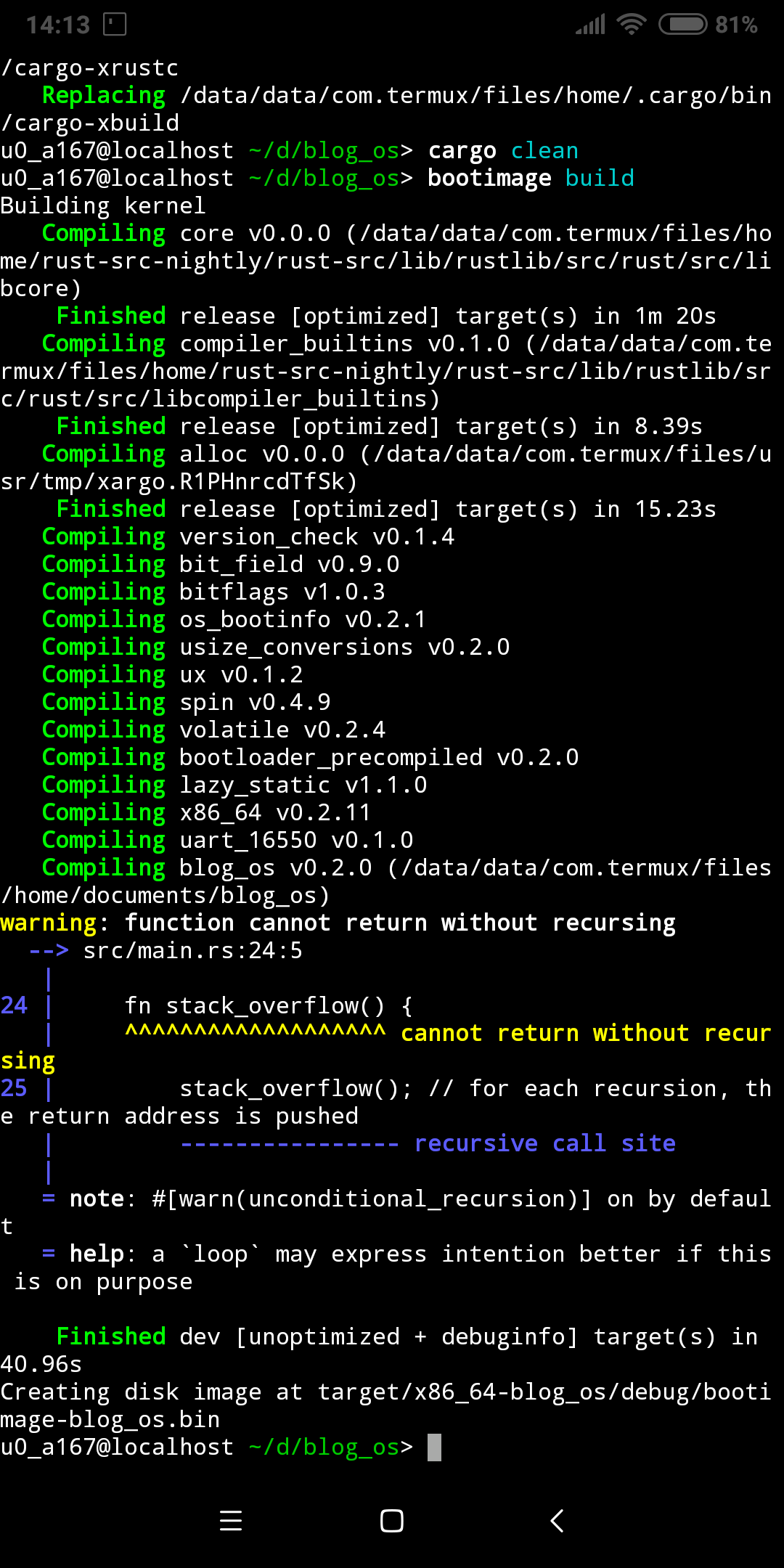
I finally managed to get `blog_os` building on my Android phone using [termux](https://termux.com/). This post explains the necessary steps to set it up.
This post is outdated and the instructions provided here might not work anymore.
 ### Install Termux and Nightly Rust
First, install [termux](https://termux.com/) from the [Google Play Store](https://play.google.com/store/apps/details?id=com.termux) or from F-Droid. After installing, open it and perform the following steps:
- Install fish shell, set as default shell, and launch it:
```
pkg install fish
chsh -s fish
fish
```
This step is of course optional. However, if you continue with bash you will need to adjust some of the following commands to bash syntax.
- Install some basic tools:
```
pkg install wget tar
```
- Add the [community repository by its-pointless](https://wiki.termux.com/wiki/Package_Management):
```
wget https://its-pointless.github.io/setup-pointless-repo.sh
bash setup-pointless-repo.sh
```
- Install cargo and a nightly version of rustc:
```
pkg install rustc cargo rustc-nightly
```
- Prepend the nightly rustc path to your `PATH` in order to use nightly (fish syntax):
```
set -U fish_user_paths $PREFIX/opt/rust-nightly/bin/ $fish_user_paths
```
Now `rustc --version` should work and output a nightly version number.
### Install Git and Clone blog_os
We need something to compile, so let's download the `blog_os` repository:
- Install git:
```
pkg install git
```
- Clone the `blog_os` repository:
```
git clone https://github.com/phil-opp/blog_os.git
```
If you want to clone/push via SSH, you need to install the `openssh` package: `pkg install openssh`.
### Install Xbuild and Bootimage
Now we're ready to install `cargo xbuild` and `bootimage`
- Run `cargo install`:
```
cargo install cargo-xbuild bootimage
```
- Add the cargo bin directory to your `PATH` (fish syntax):
```
set -U fish_user_paths ~/.cargo/bin/ $fish_user_paths
```
Now `cargo xbuild` and `bootimage` should be available. It does not work yet because `cargo xbuild` needs access to the rust source code. By default it tries to use rustup for this, but we have no rustup support so we need a different way.
### Providing the Rust Source Code
The Rust source code corresponding to our installed nightly is available in the [`its-pointless` repository](https://github.com/its-pointless/its-pointless.github.io):
- Download a tar containing the source code:
```
wget https://github.com/its-pointless/its-pointless.github.io/raw/master/rust-src-nightly.tar.xz
```
- Extract it:
```
tar xf rust-src-nightly.tar.xz
```
- Set the `XARGO_RUST_SRC` environment variable to tell cargo-xbuild the source path (fish syntax):
```
set -Ux XARGO_RUST_SRC ~/rust-src-nightly/rust-src/lib/rustlib/src/rust/src
```
Now cargo-xbuild should no longer complain about a missing `rust-src` component. However it will throw an I/O error after building the sysroot. The problem is that the downloaded Rust source code has a different structure than the source provided by rustup. We can fix this by adding a symbolic link:
```
ln -s ~/../usr/opt/rust-nightly/bin ~/../usr/opt/rust-nightly/lib/rustlib/aarch64-linux-android/bin
```
Now `cargo xbuild --target x86_64-blog_os.json` and `bootimage build` should both work!
I couldn't get QEMU to run yet, so you won't be able to run your kernel. If you manage to get it working, please tell me :).
### Install Termux and Nightly Rust
First, install [termux](https://termux.com/) from the [Google Play Store](https://play.google.com/store/apps/details?id=com.termux) or from F-Droid. After installing, open it and perform the following steps:
- Install fish shell, set as default shell, and launch it:
```
pkg install fish
chsh -s fish
fish
```
This step is of course optional. However, if you continue with bash you will need to adjust some of the following commands to bash syntax.
- Install some basic tools:
```
pkg install wget tar
```
- Add the [community repository by its-pointless](https://wiki.termux.com/wiki/Package_Management):
```
wget https://its-pointless.github.io/setup-pointless-repo.sh
bash setup-pointless-repo.sh
```
- Install cargo and a nightly version of rustc:
```
pkg install rustc cargo rustc-nightly
```
- Prepend the nightly rustc path to your `PATH` in order to use nightly (fish syntax):
```
set -U fish_user_paths $PREFIX/opt/rust-nightly/bin/ $fish_user_paths
```
Now `rustc --version` should work and output a nightly version number.
### Install Git and Clone blog_os
We need something to compile, so let's download the `blog_os` repository:
- Install git:
```
pkg install git
```
- Clone the `blog_os` repository:
```
git clone https://github.com/phil-opp/blog_os.git
```
If you want to clone/push via SSH, you need to install the `openssh` package: `pkg install openssh`.
### Install Xbuild and Bootimage
Now we're ready to install `cargo xbuild` and `bootimage`
- Run `cargo install`:
```
cargo install cargo-xbuild bootimage
```
- Add the cargo bin directory to your `PATH` (fish syntax):
```
set -U fish_user_paths ~/.cargo/bin/ $fish_user_paths
```
Now `cargo xbuild` and `bootimage` should be available. It does not work yet because `cargo xbuild` needs access to the rust source code. By default it tries to use rustup for this, but we have no rustup support so we need a different way.
### Providing the Rust Source Code
The Rust source code corresponding to our installed nightly is available in the [`its-pointless` repository](https://github.com/its-pointless/its-pointless.github.io):
- Download a tar containing the source code:
```
wget https://github.com/its-pointless/its-pointless.github.io/raw/master/rust-src-nightly.tar.xz
```
- Extract it:
```
tar xf rust-src-nightly.tar.xz
```
- Set the `XARGO_RUST_SRC` environment variable to tell cargo-xbuild the source path (fish syntax):
```
set -Ux XARGO_RUST_SRC ~/rust-src-nightly/rust-src/lib/rustlib/src/rust/src
```
Now cargo-xbuild should no longer complain about a missing `rust-src` component. However it will throw an I/O error after building the sysroot. The problem is that the downloaded Rust source code has a different structure than the source provided by rustup. We can fix this by adding a symbolic link:
```
ln -s ~/../usr/opt/rust-nightly/bin ~/../usr/opt/rust-nightly/lib/rustlib/aarch64-linux-android/bin
```
Now `cargo xbuild --target x86_64-blog_os.json` and `bootimage build` should both work!
I couldn't get QEMU to run yet, so you won't be able to run your kernel. If you manage to get it working, please tell me :).